
TypeScript, with its statically typed nature and powerful tooling, is revolutionising how developers build reliable and scalable applications. At the core of every TypeScript project lies the tsconfig.json file, a simple yet essential configuration file that controls how TypeScript compiles and processes your code.
In this blog, we’ll dive into the purpose of tsconfig.json, how it simplifies project management, and why it’s indispensable for modern TypeScript development.
The Importance of tsconfig.json
The tsconfig.json file is like the instruction manual for the TypeScript compiler. It tells the compiler:
- How to handle your code: Specify what JavaScript version to target, what module system to use, and more.
- What to include and exclude: Control which files are compiled or ignored.
- How strict to be: Enable or disable features like strict type checking.
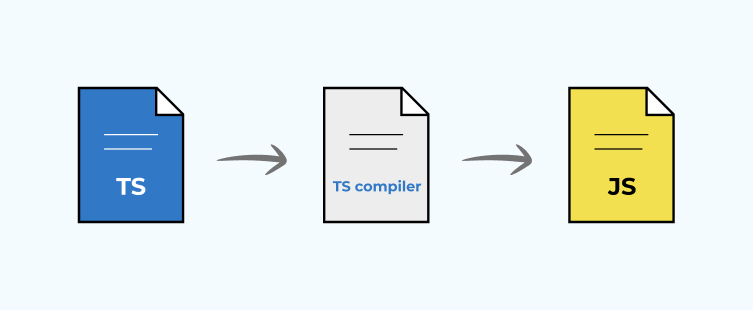
By configuring this file correctly, you can:
- Improve productivity with features like type safety and intelligent code completion.
- Ensure consistency across your team’s codebase.
- Catch potential errors early during development.
Key Features of tsconfig.json
1. Compiler Options: Customizing TypeScript’s Behavior
The compilerOptions section is where most of the magic happens. Here are some of the most important settings:
1.1 target: Choose Your JavaScript Version
It specifies the version of JavaScript TypeScript that should be compiled.
{
	"target": "ES6"
}
- Why it matters: Older targets like ES5 ensure compatibility with older browsers, while newer ones like ESNext leverage modern JavaScript features.
1.2 module: Define the Module System
Sets how modules are managed in your output files.
{
	"module": "CommonJS"
}
- Common Use: “CommonJS” for Node.js and “ESNext” for bundlers like Webpack.
1.3 strict: Enforce Best Practices
Enables strict type-checking options for better code reliability.
{
	"strict": true
}
- Why it matters: Ensures you write safer and more predictable code.
1.4 paths and baseUrl: Simplify Imports
Defines aliases to shorten import paths.
{
	"baseUrl": "./src",
	"paths": {
		"@components/*": ["components/*"],
		"@utils/*": ["utils/*"]
	}
}
- Benefit: Avoid long relative paths like ../../../utils/helpers.
2. Include and Exclude: Controlling Files in Your Project
2.1 include: Files to Compile
Tells TypeScript which files or folders to process.
{
	"include": ["src/**/*"]
}
- Use Case: Include all files in the src folder.
2.2 exclude: Files to Ignore
Specifies files or directories to skip during compilation.
{
	"exclude": ["node_modules", "dist"]
}
- Common Practice: Ignore the node_modules and build folders for faster compilation.
3. Extending Configurations
For larger projects or monorepos, you can extend a base configuration file.
{
	{
		"extends": "./base-tsconfig.json",
		"compilerOptions": {
		"strict": true
		}
	}
}
- Why It’s Useful: Reuse common settings across multiple projects.
Why tsconfig.json Matters for Developers
- Enhanced Collaboration
With strict typing and consistent configurations, teams can work together more effectively. Everyone follows the same rules, reducing errors and confusion.

- Simplified Debugging
Enable sourceMap in compilerOptions to generate source maps, making it easy to trace issues in your original TypeScript code.

- Scalable Codebases
tsconfig.json promotes modular development by enabling aliases and defining clear boundaries for code organization.

Real-World Applications of tsconfig.json
1. Building Web Applications
Modern frameworks like Angular use TypeScript, and tsconfig.json ensures your app adheres to the right standards and compiles efficiently.
2. Node.js Development
Define module as “CommonJS” for Node.js projects, and use outDir to manage build outputs for server-side applications.
3. Hybrid Mobile Apps
When building apps with frameworks like Ionic or React Native, tsconfig.json ensures type safety, clean imports, and platform consistency.
Example tsconfig.json File
{
	"compilerOptions": {
		"target": "ES6",
		"module": "CommonJS",
		"strict": true,
		"outDir": "./dist",
		"rootDir": "./src",
		"sourceMap": true,
		"baseUrl": "./src",
		"paths": {
		"@components/*": ["components/*"],
		"@utils/*": ["utils/*"]
		}
	},
	"include": ["src/**/*"],
	"exclude": ["node_modules", "dist"]
}
Conclusion
The tsconfig.json file is the backbone of any TypeScript project, offering control and flexibility to shape your development experience. Whether you’re working on a small app or a large enterprise project, a well-configured tsconfig.json ensures your code is robust, maintainable, and scalable.